Skip to content
2022 Web App · Music Live

Virtual Piano By Arben

A virtual piano and MIDI player/visualizer built with SvelteKit: 61 keys (C2–C7) playable by computer keyboard, mouse, or touch, plus a built-in repertoire of classical MIDI pieces with falling-tile and velocity-reactive visualizers. Installable and offline-capable as a PWA.
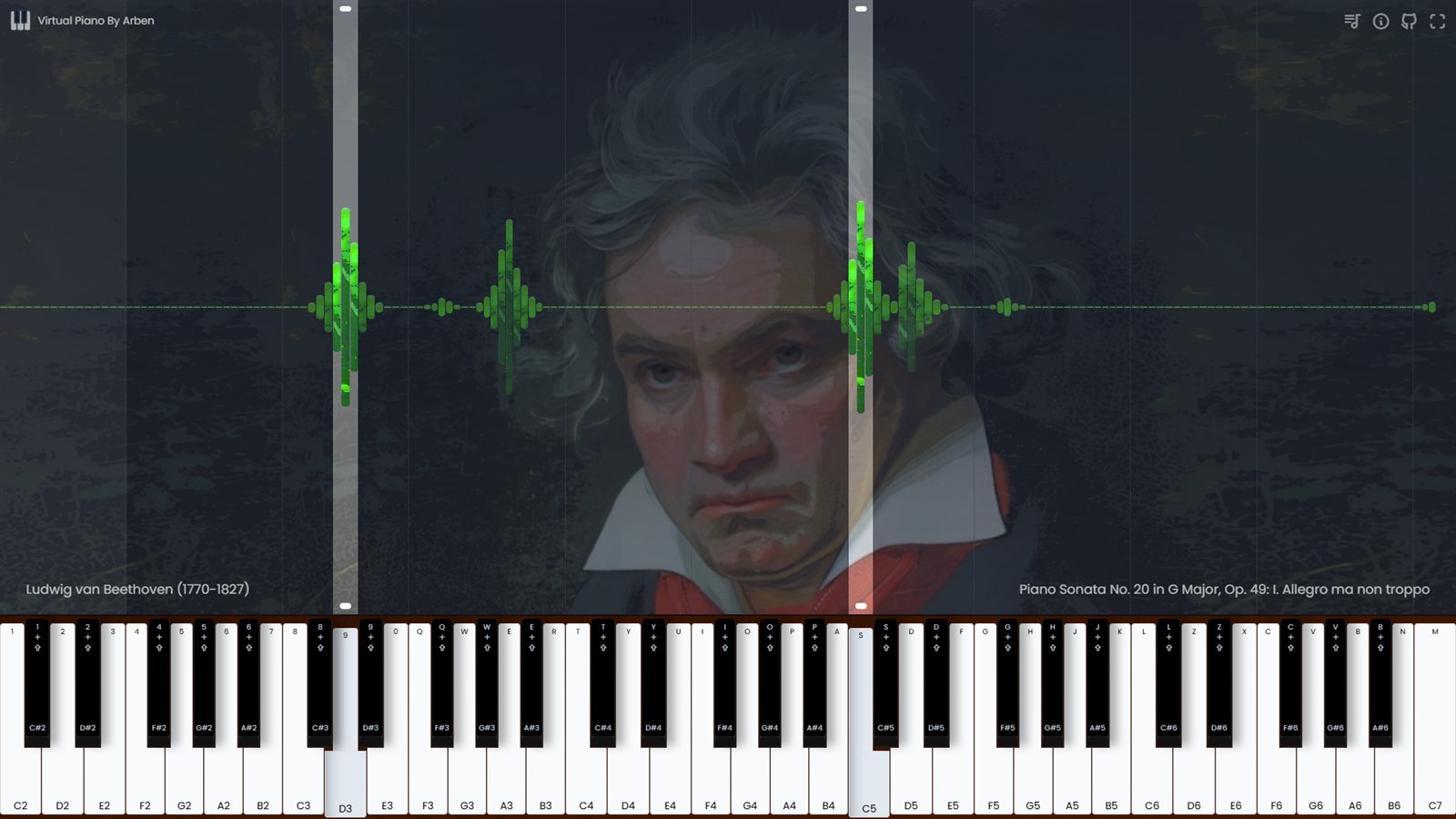
Virtual Piano By Arben screenshot

The problem

When I was a college student, I really wanted to learn how to play a real piano — inspired by classical pieces and idolizing Beethoven, Mozart, and Liszt — but I couldn’t afford one. Most online pianos were limited, cluttered with ads, or offered no way to play along with actual pieces, so I decided to build my own.

The solution

A single-page virtual piano: play with your computer keyboard (Shift for sharps), mouse, or touch with swipe glissando; a curated playlist of 59 classical pieces across 13 composers with animated falling tiles and a velocity-reactive bar visualizer; upload your own .mid files (validated, auto-played, persisted in your browser); and auto-play that advances through the whole repertoire — all packaged as an installable, offline-capable PWA.

Key features

1 61-key piano (C2–C7) with computer-keyboard bindings — Shift for sharps
2 Mouse and touch input with swipe glissando
3 Curated playlist of 59 pieces from 13 composers — Bach, Beethoven, Chopin, Liszt, Mozart, and more
4 Slide-in playlist panel with search, composer grouping, and now-playing controls
5 Import your own MIDI files — drag and drop or upload .mid, validated, auto-played, and persisted in your browser
6 Auto-play mode that advances continuously through the playlist
7 Velocity-driven visualizer with falling highlight tiles and a traveling ripple wave
8 Per-composer visuals — portraits, bar textures, and zoom/offset per piece
9 PWA — installable and offline-capable via service worker

What I learned

1 Web Audio and sample-based synthesis — loading and triggering Salamander piano samples with Tone.js
2 MIDI parsing and playback — decoding .mid files with @tonejs/midi and keeping notes in sync with visuals
3 Building an installable PWA with a service worker for true offline use
4 Designing for three input modes at once — keyboard, mouse, and touch — and making each feel natural
5 Persisting user data (uploaded MIDI files) with localStorage
6 Keeping audio playback and canvas animation in sync without jank on modest hardware

Tech stack

SvelteKit Svelte TypeScript Tone.js @tonejs/midi Tailwind CSS SCSS Vite

Demo

Virtual Piano By Arben — demo